Face detection
The FaceDetector modules detects face position in an image. It’s the mandatory entrypoint for many tasks, including face recognition, even if there is a single face in the image. It outputs several information for each detected face in the image : bounds, landmarks positions, confidence score, etc
Important
Face encoding requires an Face Encoder AI model to run. See AI Models for details.
Tolerance
The face detection tolerance depends on the AI model used. The following characteristics can be assumed:
Face angle tolerance |
yaw < ±45°, pitch < ±30°, roll < 45° |
Minimal interocular distance (IOD) |
10 pixels |
Warning
The algorithm searches for faces in the range ~[16px;400px]. If the image is too large to fit this range, one must resize it before the detection process.
Face bounds vs portrait bounds
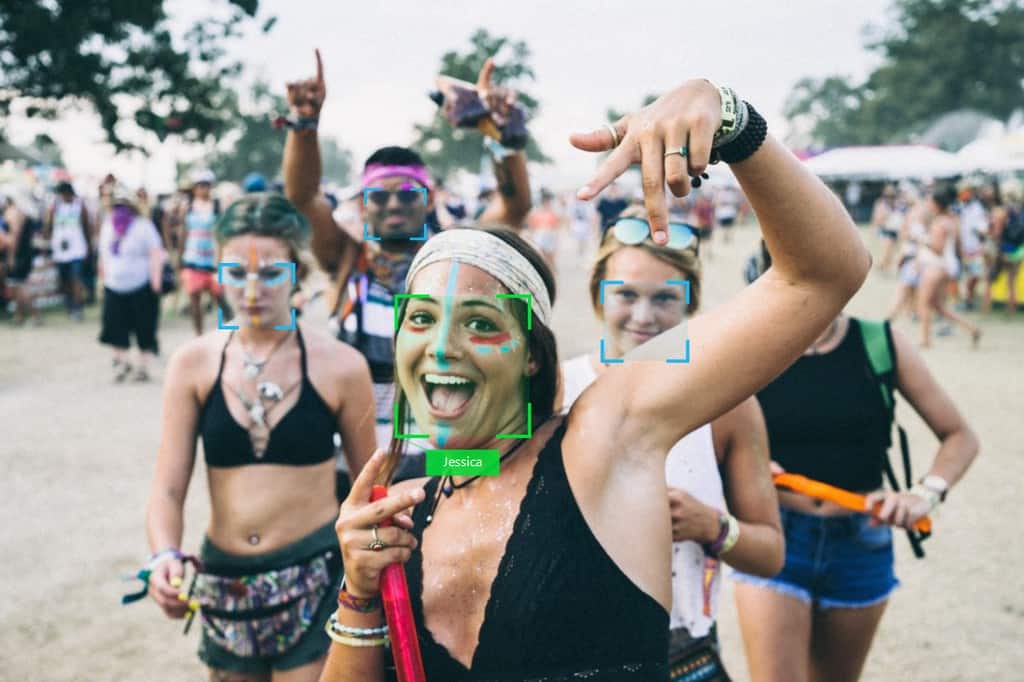
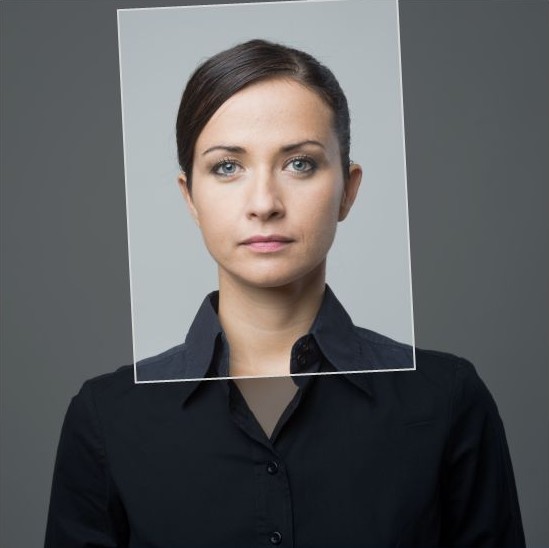
The FaceDetector detects human faces and returns a its bounds as a close rectangle around the face, as shown in the left figure below. One can then convert it to a larger rectangle that we call PortraitBounds, for ISO/ICAO compliant portraits (right figure below.)
Parameters
The face detector is configured by default with the most common parameters. For specific applications, it may be useful to adjust certain parameters.
The following parameters are defined:
Name |
Description |
|---|---|
Confidence threshold |
Value above which the detector considers the detected element to be a face.
Setting a high threshold reduces false detection but can increase the number of undetected faces.
|
Model |
Face detection models used to detect faces. |
NMS IoU threshold |
Non-maximum suppression (NMS) intersection-over-union (IoU) threshold.
Setting a high threshold allows to detect more overlapping faces which can be useful in a multi-face scenario. On the contrary, in a portrait scenario, a low NMS IoU threshold should be preferred.

|
Thread count |
Number of threads to use for face detection. Default is 1. |
Full sample
The example below demonstrates how to detect faces in an image:
import id3face as id3

# Initialization
id3.FaceLibrary.load_model("models", id3.FaceModel.FACE_DETECTOR_4B, id3.ProcessingUnit.CPU)
face_detector = id3.FaceDetector(thread_count=2)

def detect_faces(image: id3.Image) -> id3.DetectedFace:
    """
    face_detector: id3.FaceDetector = ... # Previously initialized detector module
    """
    # Downscale image to respect the detector range of ~[16-400px]
    # keep the downscale ratio for later upscaling
    image_downscaled = image.clone()
    ratio = image_downscaled.downscale(256)
    # Detect faces
    detected_face_list = face_detector.detect_faces(image_downscaled)

    # Upscale detected faces back to the referential of the input image
    for face in detected_face_list:
        face.rescale(1/ratio)

    return detected_face_list